 SpaDesk
Run your whole spa from one calm dashboard
Finances and the till, staff schedules, daily front-desk tasks, stock, contracts, vouchers, forms and clients — for one location or many. SpaDesk runs in your browser.
- Nothing to install
- Servers in the EU (Frankfurt)
- In Polish and English
Everything the front desk and the owner need every day
Instead of notebooks, spreadsheets and a handful of apps — one place where the whole team sees the same thing.
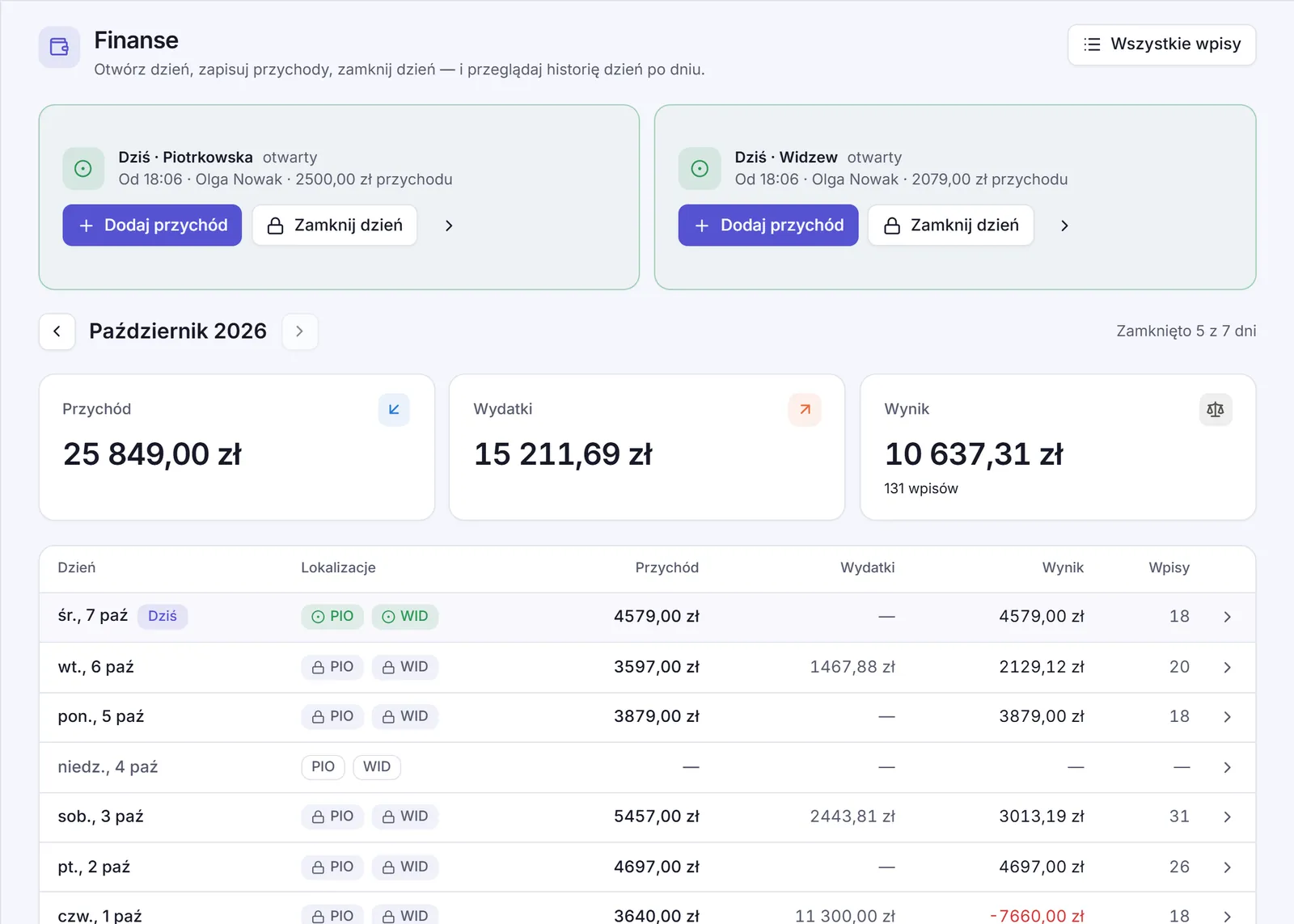
Every till day under control
Reception opens the day in the morning, records income and expenses as they happen, and closes the day in the evening with the cash counted. By card, cash, transfer or voucher — or one payment split across several.
- Income, expenses and net result for each location
- Categories, services and products, tax rates
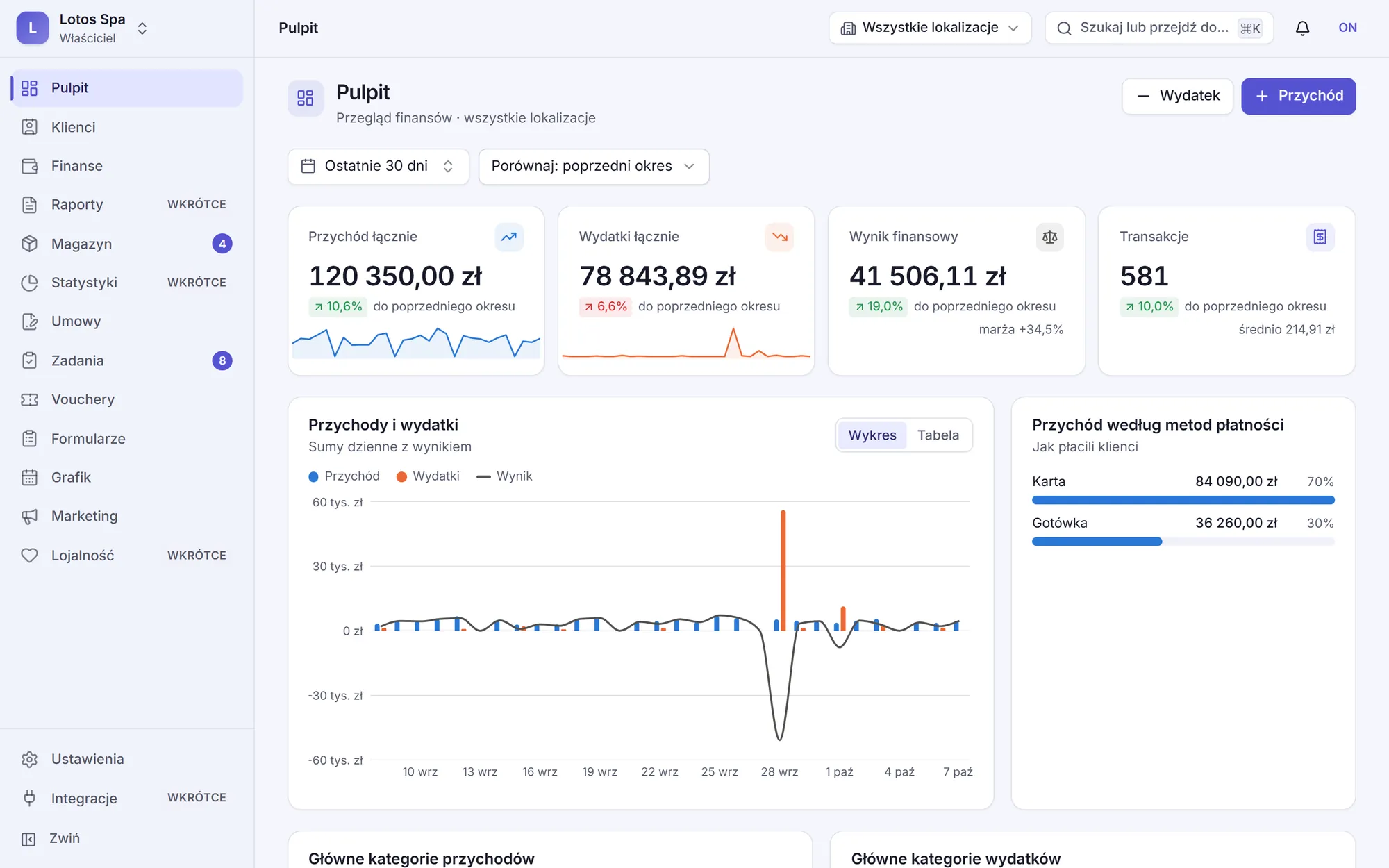
- A dashboard compared with the previous period
A schedule that watches for conflicts
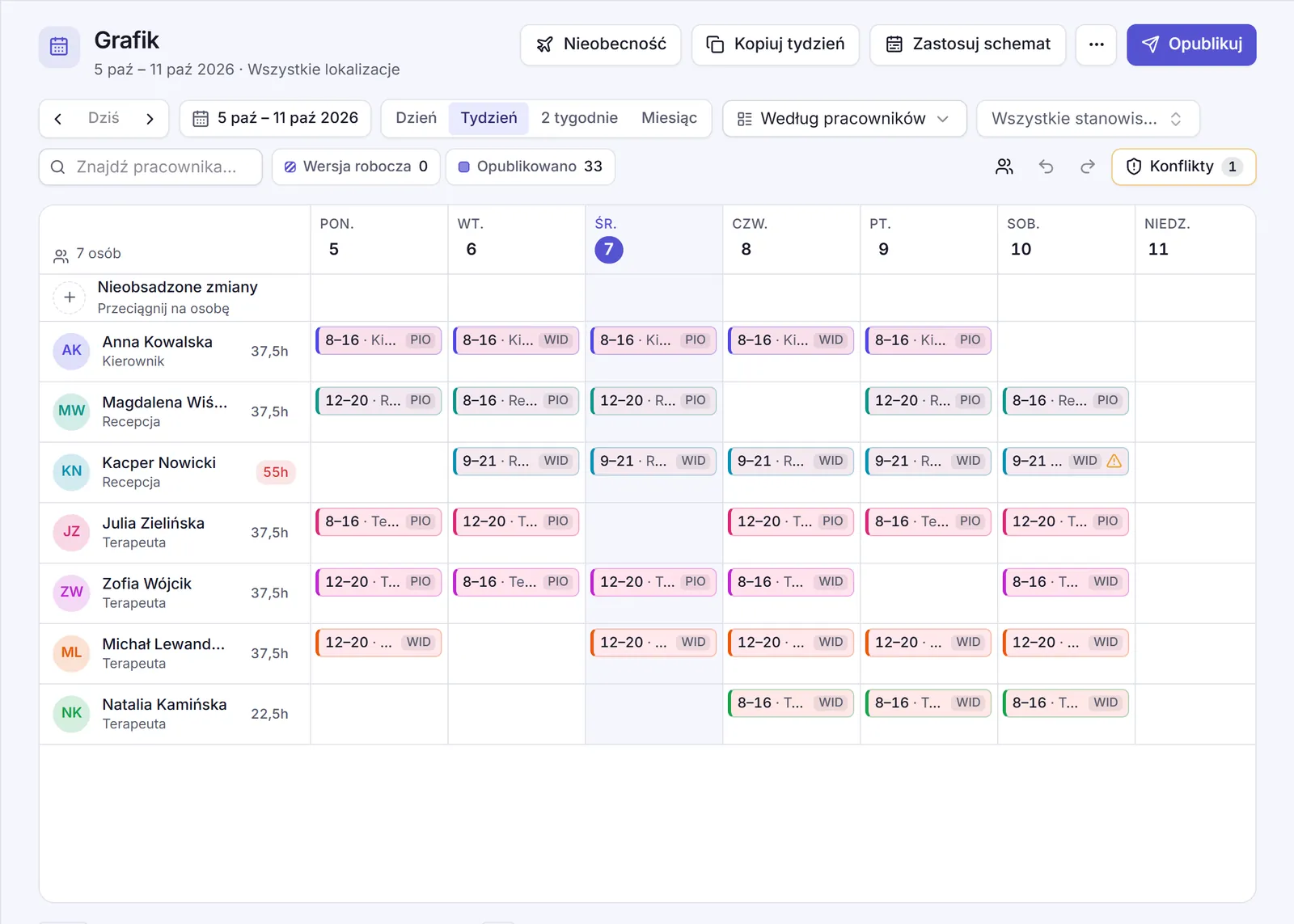
Drag shifts, copy weeks and apply ready-made patterns. SpaDesk warns you when shifts overlap, someone is on leave, there isn't enough rest between shifts, or the hours go over the contract.
- Day, week, two-week and month views
- Holidays, sick leave and other time off
- Publish the schedule and the team is notified
Daily checklists for the front desk
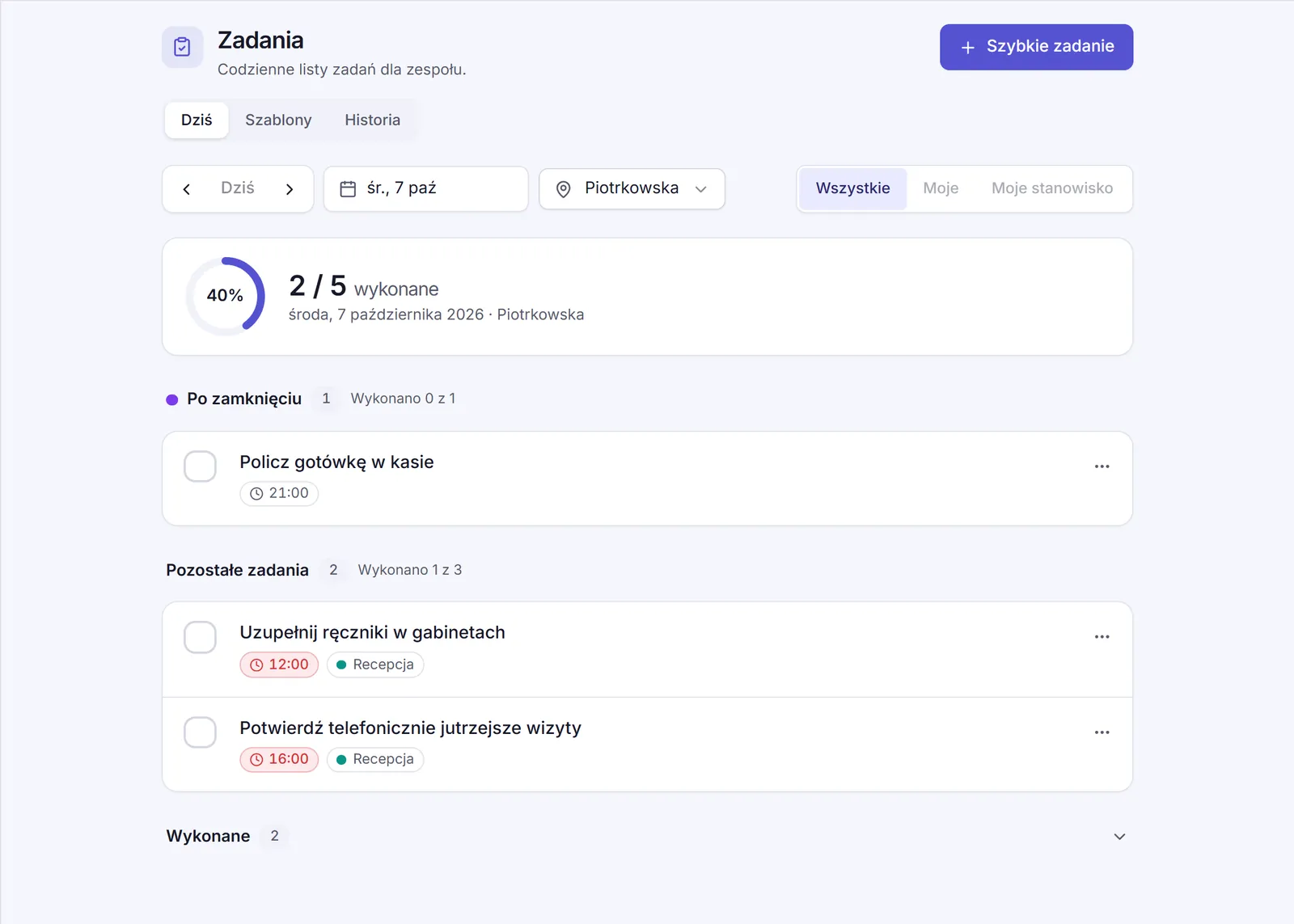
Opening up, the sauna temperature, the cash count — tasks appear every day at the right time, assigned to a person or a position. You can see what was done, by whom and when.
- Daily, on chosen days, monthly or just once
- Checklists and notes on tasks
- Completion history for every location
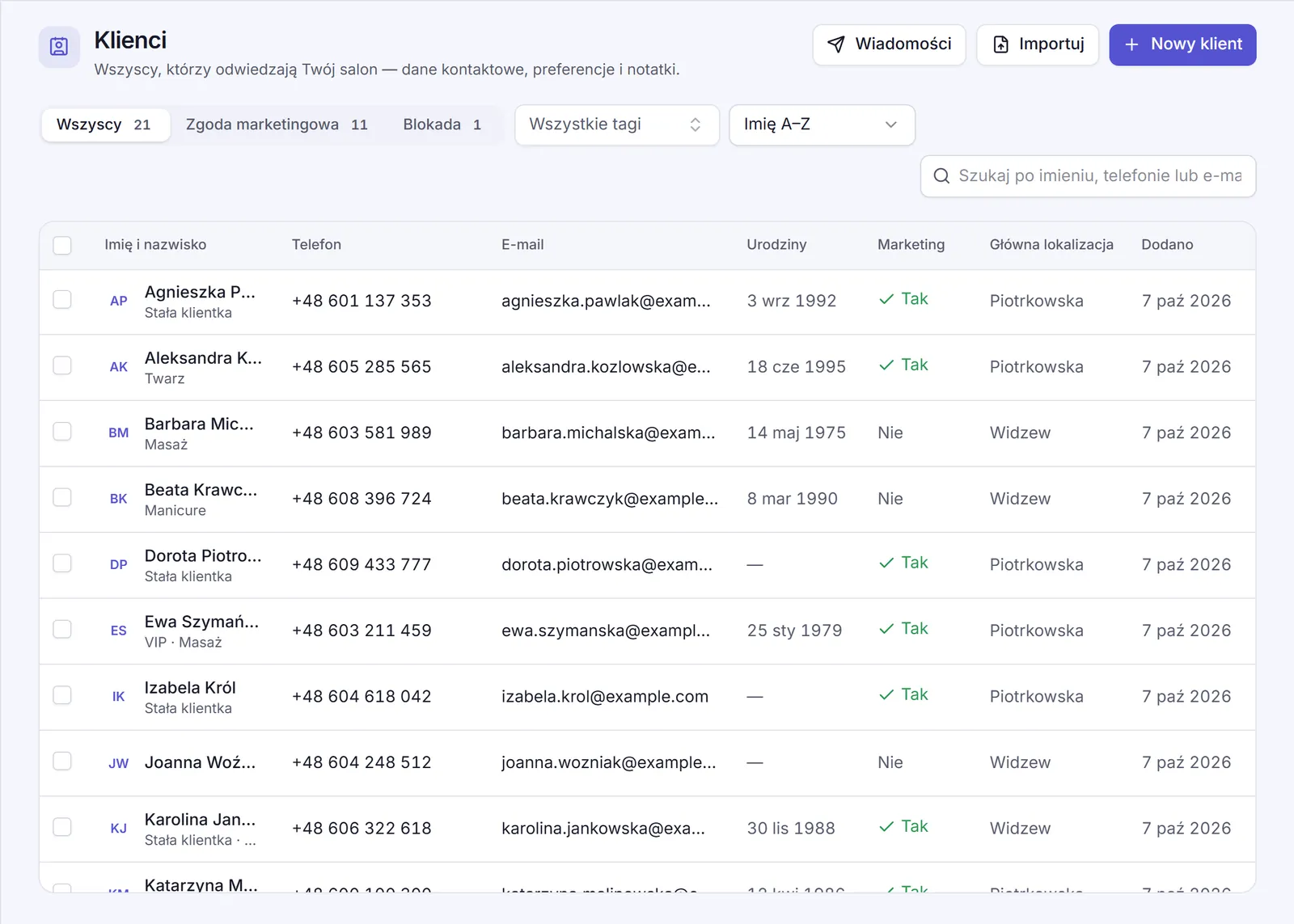
Clients, consents and messages in one place
Bring your client list over from Booksy or a spreadsheet — SpaDesk matches the columns and points out duplicates. Notes on preferences and allergies, tags, marketing consent. Emails and text messages to one client, a few or everyone, with an unsubscribe link.
- Import from Booksy, a CSV or a JSON file
- Ready-made message templates
- Send now or at a time you choose
Modules for everything else
All on from day one — use the ones you need.
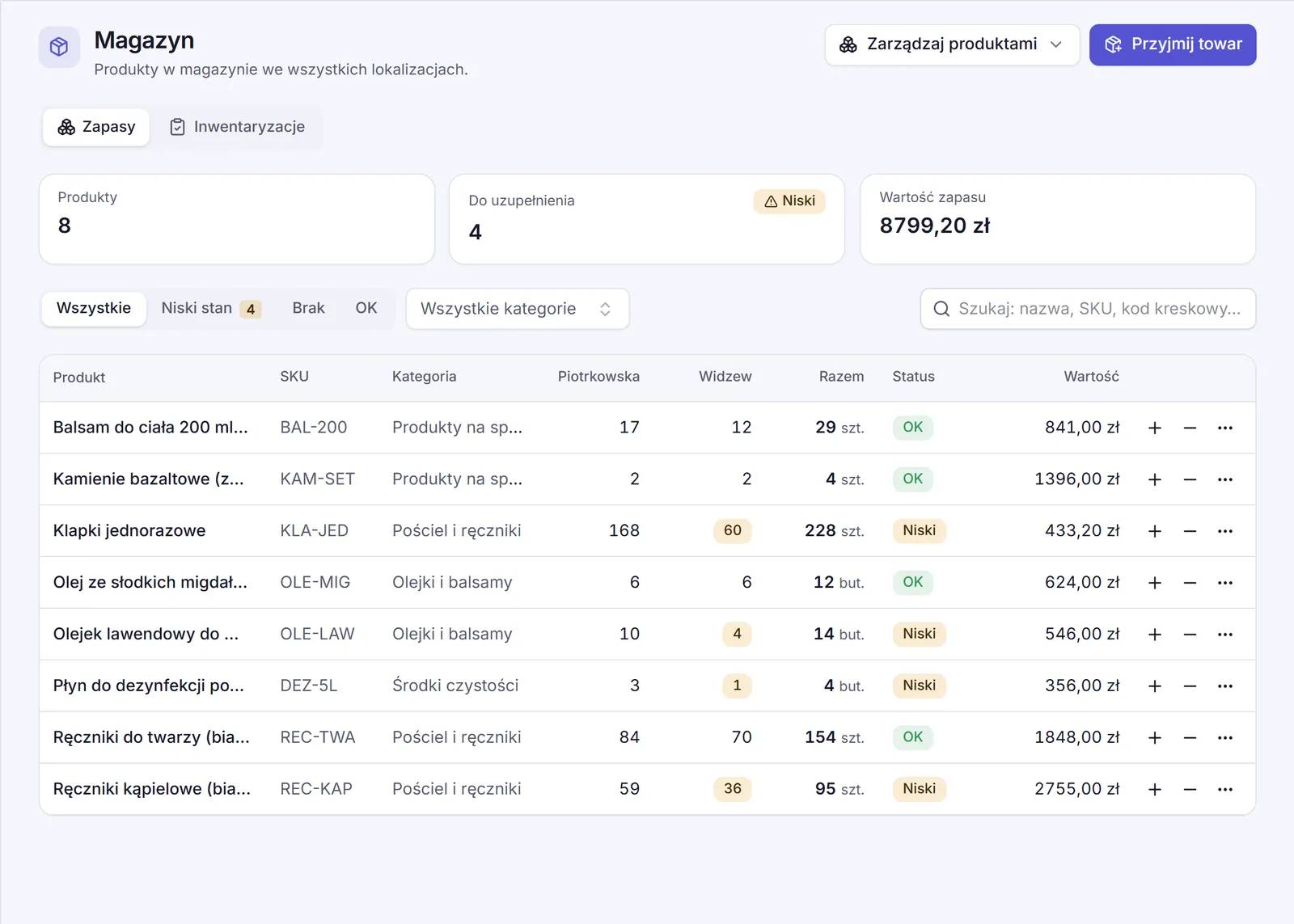
Stock
Levels at every location, low-stock alerts, deliveries, usage, transfers and stock counts.
Vouchers
Amount and treatment vouchers: sell them, print them with your logo, and redeem them in full or in parts.
Forms
Health questionnaires and consents clients fill in on a phone or tablet, with a signature — by link or QR code.
Contracts
Staff contracts and documents, reminders before a contract ends. Only the right people see salaries and private details.
Marketing
Facebook, Instagram and Google ad ideas written with AI — publish them and follow the results in SpaDesk.
Team and access
Owner, admin, manager and reception roles, or your own. Access to chosen locations, and an audit log.
One company, many locations
Switch between locations or see them all at once. Each has its own opening hours and time zone, its own stock and till days — and staff only see the locations they have access to.
- Shared services, categories and team across the company
- Stock transfers between locations
- Several companies on one account, if you run more
Your spa's data in good hands
Your clients' and your team's details are trust people place in you. We take it just as seriously.
Servers in the European Union
The app and its database run in Frankfurt.
Each company kept apart
Separated in the database itself — no company can see another's data.
Encryption
Encrypted connections; staff national ID and bank account numbers encrypted in the database.
Roles and an audit log
Everyone sees only what they need, and important changes are recorded.
No ads, no tracking
We don't use analytics tools or advertising cookies.
Your data, your call
Export all of your company's data with one click. Details in our privacy policy.
Frequently asked questions
Do I need to install anything?
No. SpaDesk runs in the browser on a computer, tablet or phone. All you need is an account.
Can I bring my clients over from Booksy?
Yes. Export your clients from Booksy, or prepare a CSV or JSON file from another system, and import it into SpaDesk. The columns are matched automatically, and likely duplicates are shown before you import.
Does SpaDesk work for several locations?
Yes. A company can have as many locations as it needs, each with its own opening hours, stock and till days. The dashboard shows each one or all of them together.
Who on my team sees what?
You decide. Each person has a role — reception, for example — and access to chosen locations. Reception records income and ticks off tasks but doesn't see salaries or contracts.
Which languages does SpaDesk speak?
Polish and English — everyone on the team picks their own. Messages to clients and printed vouchers are in the company's language.
What happens to my data if I leave?
The owner can download all of the company's data and delete the company in Settings at any time. After 30 days the data is permanently deleted.
Bring order to your spa today
Create an account and set up your company in a few minutes — we'll add finance categories, payment methods, positions and example tasks for you.